Photos to PDF
 in seconds
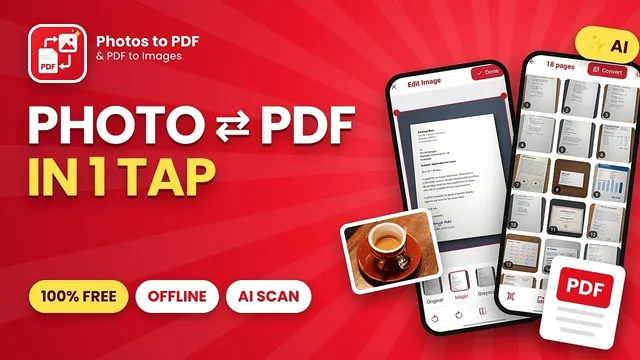
Pick any number of photos, drag to reorder, and turn them into one clean PDF.
Scan documents, edit photos and make clean PDFs in seconds. Merge, split, compress, sign and password-protect your files, all on your Android phone. No sign-up, works offline.
One small app for school, office and home paperwork: homework, receipts, invoices, ID cards, contracts and notes.
Pick any number of photos, drag to reorder, and turn them into one clean PDF.
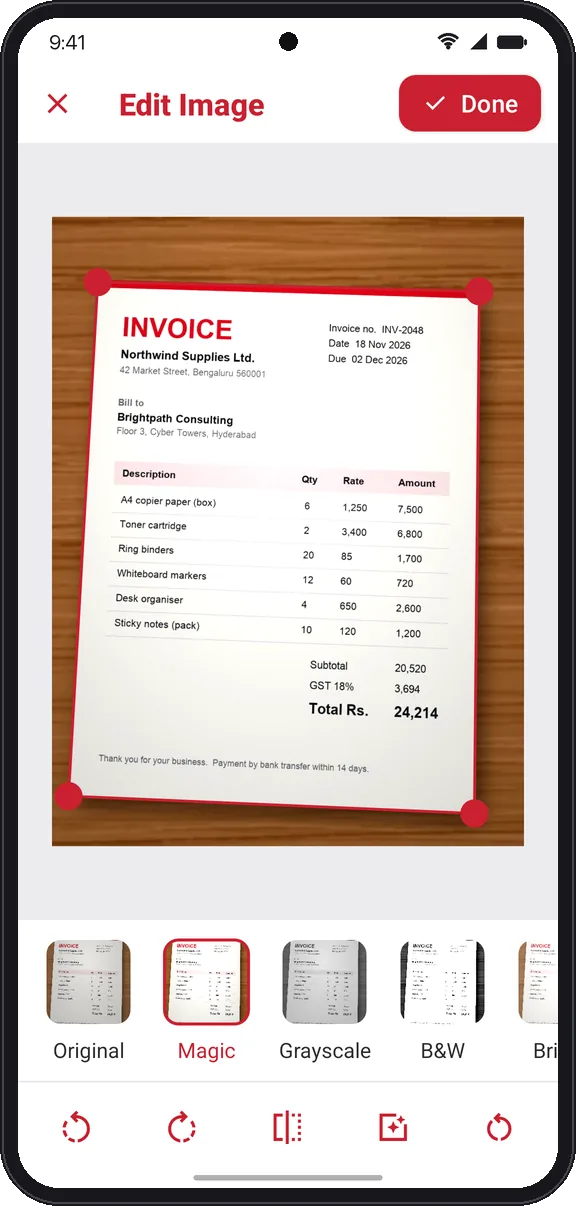
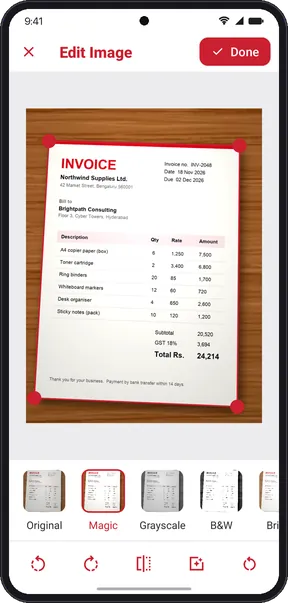
Crop, rotate, flip and apply Magic, B&W or Grayscale filters before you convert.
Finds page edges automatically and straightens receipts, notes and forms.
Combine PDFs, pull out pages, or shrink big files to share them easily.
Add your signature, type text or draw on any page. No printer needed.
Lock a PDF with a password, or remove one from a file you own.
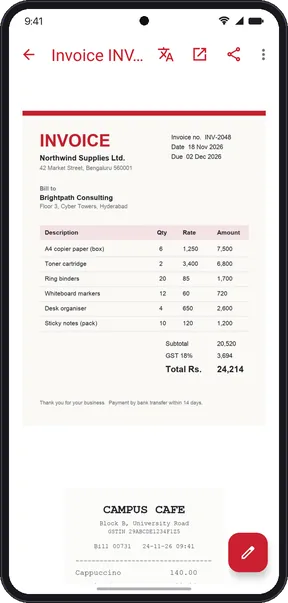
Read text, translate documents and get short summaries, all on your phone.
No account and no uploads. Your documents stay on your device.
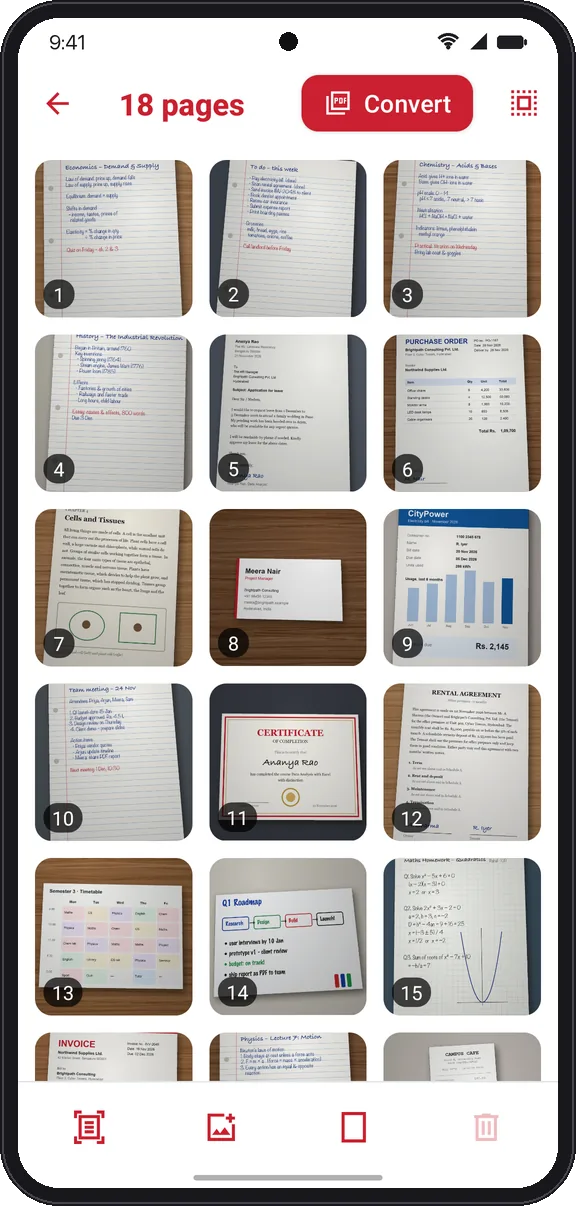
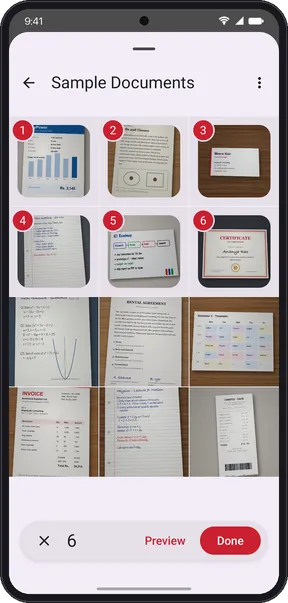
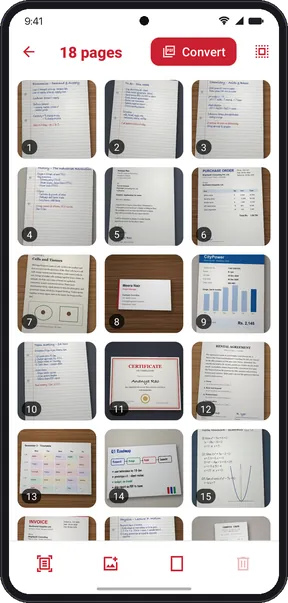
Pick photos from your gallery or take them with the camera. Every photo becomes a page, numbered in order.
Tap a photo to open the editor. Crop away the table, straighten the page and make the text easy to read.
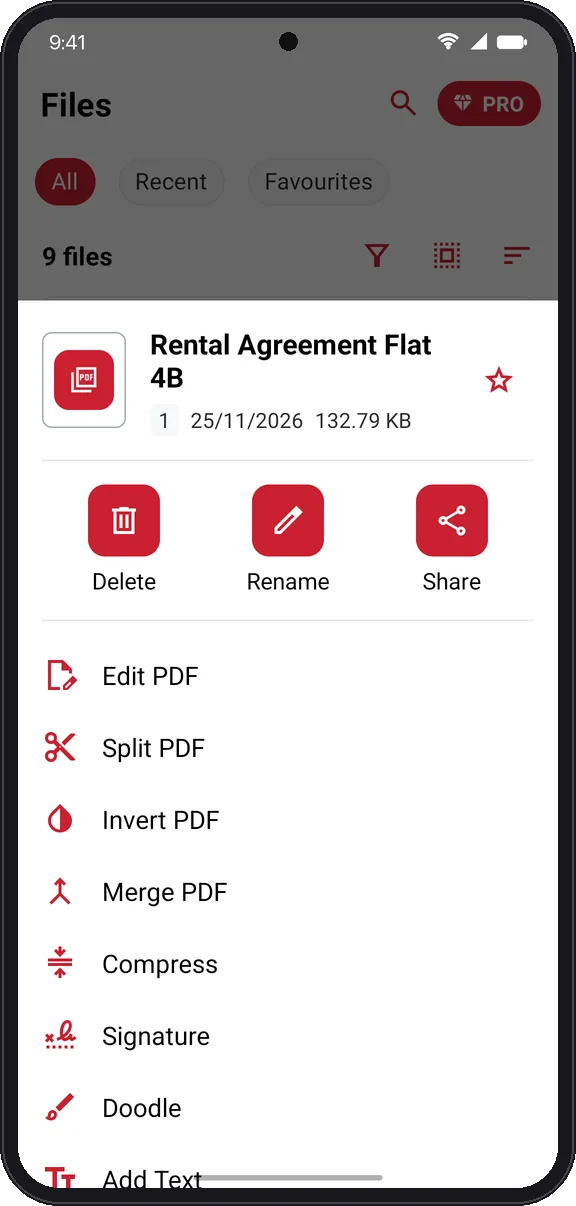
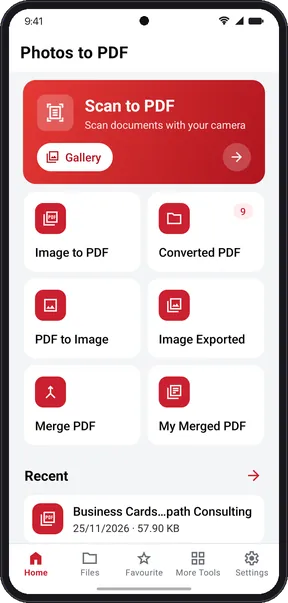
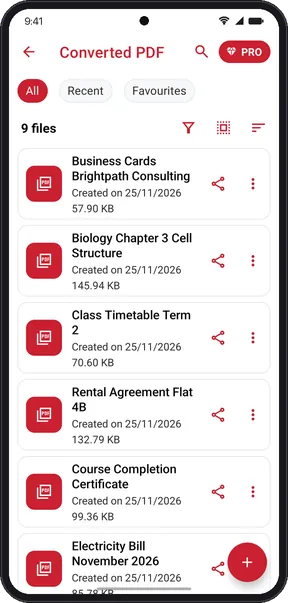
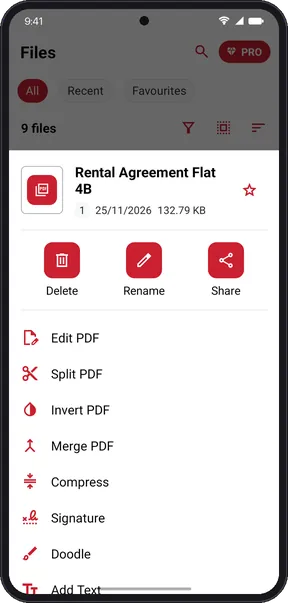
Every PDF on your phone appears in Files, with search, sort, favourites and recent files. Tap ⋮ for the tools.
No tool is locked behind a paywall. Premium only removes ads.
Free online tools that work on any computer or phone. Your files are never uploaded.
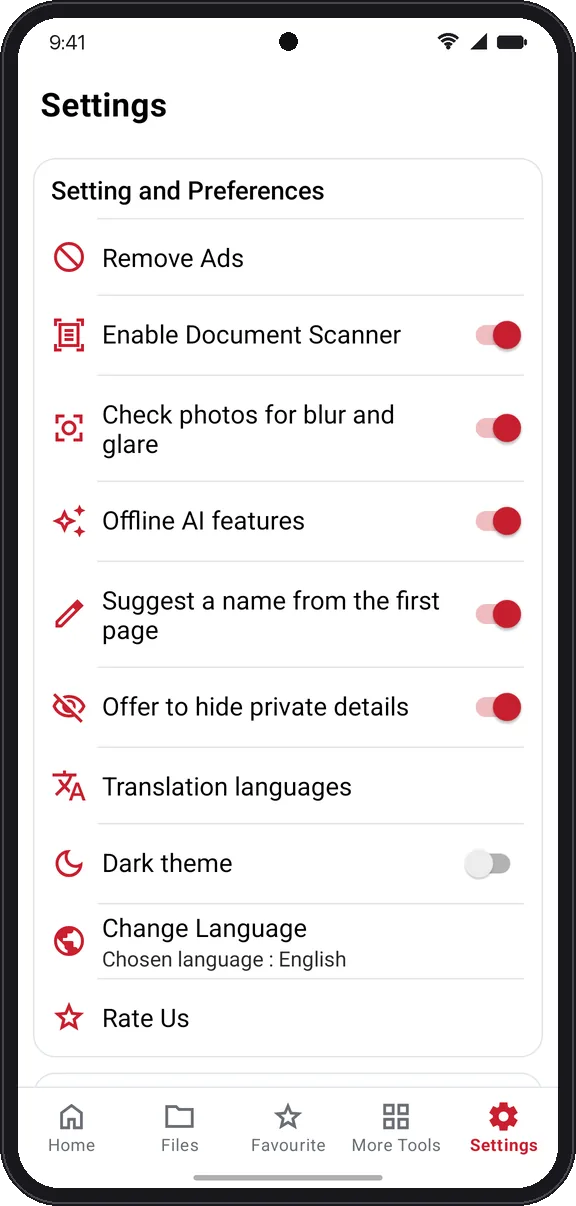
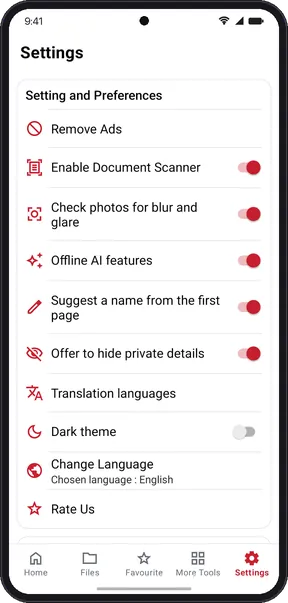
Turn on offline AI in Settings and the app reads your documents on the device itself. Nothing is uploaded.
Choose photos from your gallery, or scan paper with the camera.
Drag pages into order. Tap a page to crop, rotate or add a filter.
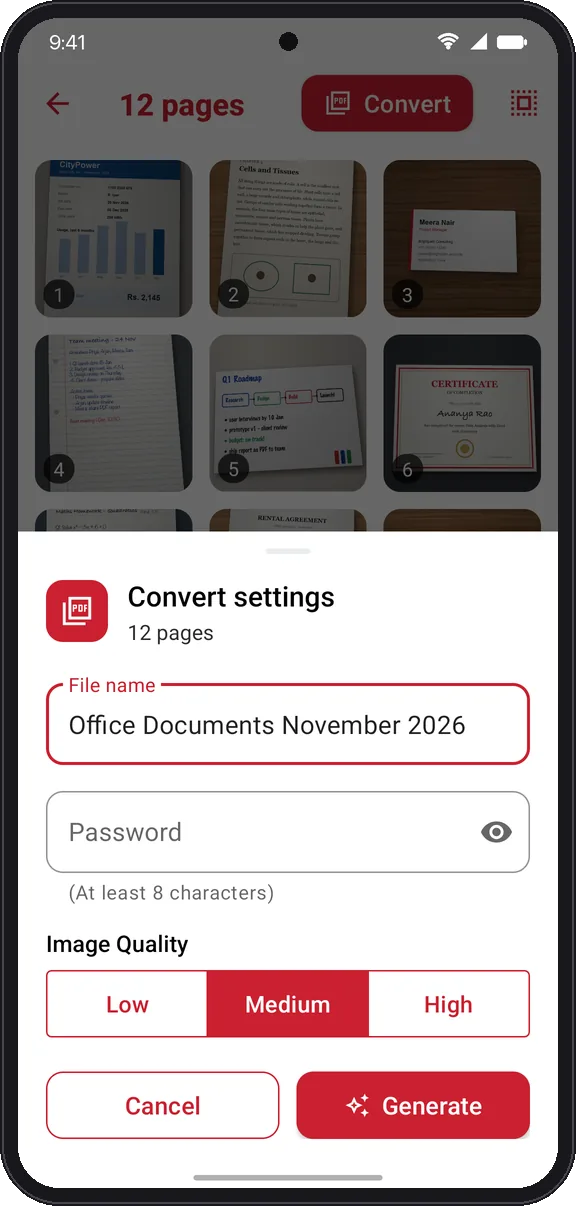
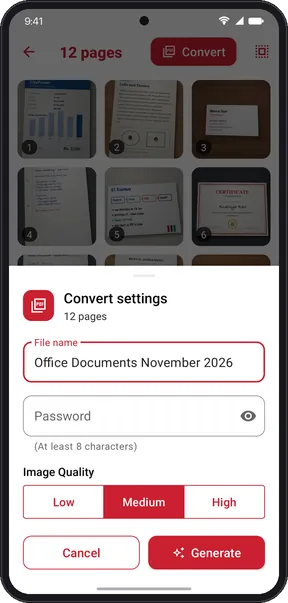
Name it, add a password if you like, and tap Generate. Share it anywhere.
Yes. Every tool in the app is free: photos to PDF, scanning, editing, merging, splitting, compressing, signatures, passwords and the offline AI features. The app shows ads. The optional Premium plan only removes the ads; it does not unlock any extra features.
No. There is no account and no sign-in. Open the app and start making PDFs.
Yes. Converting, scanning, editing and all the PDF tools run on your phone without internet. You only need a connection to download a translation language pack once, to buy or restore Premium, and for ads to load.
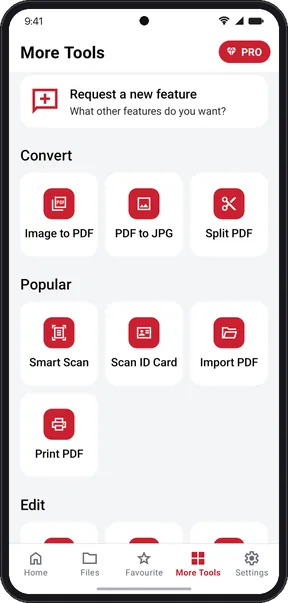
Tap Image to PDF, pick your photos, arrange them, then tap Convert. Give the file a name, choose the quality and tap Generate. See How to use for step-by-step pictures.
On the create screen, press and hold a photo, then drag it to its new place. The page numbers update as you move it.
Premium removes all ads from the app. Everything else is already free for everyone.
No. Your photos and PDFs are processed on your phone. They are only sent somewhere when you choose to share them or upload them to Google Drive yourself. Read our Privacy Policy.
Free on Google Play. No account, no watermark.